
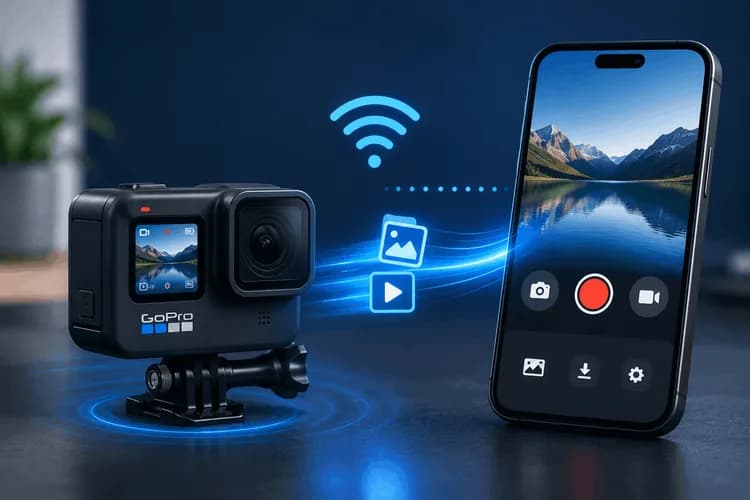
No SDK, no BLE pairing dance — just the camera's fixed IP, a Dio client, and a handful of gotchas that will quietly ruin your day if you don't know about them.
Why WiFi, not Bluetooth?
Most "connect to a GoPro" tutorials start with Bluetooth Low Energy: scan, pair, exchange GATT characteristics, then use BLE to turn on WiFi, then transfer over WiFi anyway. It works, but it's a lot of ceremony — and BLE is slow and fiddly for the thing users actually want, which is control the camera and pull the footage off it fast.
So in this app we skip BLE entirely. The user joins the GoPro's WiFi access point from their phone's settings, and from that point on everything is plain HTTP against the camera's Open GoPro API at a fixed address:
http://10.5.5.9:8080
Camera control, settings, media listing, and file download are all HTTP GET requests to that IP. The entire integration is 100% Dart with the dio package — zero native Kotlin/Swift. That's the headline, and as we'll see at the end, it's also the one place the design is fragile.
The flow:
join GoPro WiFi AP (phone settings)
→ detect the camera is reachable (TCP probe to 10.5.5.9:8080)
→ connect + identify model (GET /gopro/camera/state)
→ start keep-alive (30s) + status poll (5s) timers
→ control: shutter / mode / settings
→ list media (GET /gopro/media/list)
→ download with turbo + progress (dio.download)
1. Detecting the camera without WiFi-scan permissions
The first instinct is to enumerate WiFi SSIDs and look for one starting with GoPro. Don't — that drags in location permissions and platform-specific WiFi-scan APIs.
GoPro always lives at the same IP, so detection is just: can I open a TCP socket to 10.5.5.9:8080? No HTTP, no permissions, no SSID parsing.
static const String goProIp = '10.5.5.9';
static const int goProPort = 8080;
static const Duration checkInterval = Duration(seconds: 2);
static const Duration connectionTimeout = Duration(seconds: 3);
Future<void> _checkConnection() async {
try {
final socket = await Socket.connect(goProIp, goProPort, timeout: connectionTimeout);
socket.destroy();
if (_currentState != GoProWifiState.connected) {
_currentState = GoProWifiState.connected;
_connectionStateController.add(_currentState);
}
} catch (e) {
if (_currentState != GoProWifiState.disconnected) {
_currentState = GoProWifiState.disconnected;
_connectionStateController.add(_currentState);
}
}
}
We poll that every 2 seconds and broadcast state changes over a stream. The connection screen subscribes and flips to "connected" the moment the socket opens. Because there's no real device discovery, the service synthesizes a virtual CameraDevice (keyed off the fixed IP) so the rest of the camera abstraction doesn't need to know the difference.
2. The HTTP client: Dio and the Open GoPro endpoints
The client is a thin Dio wrapper. Note the short connect timeout (you're on a LAN — if it's slow, it's broken) and a generous receive timeout for control calls:
static const String baseUrl = 'http://10.5.5.9:8080';
GoProHttpClient() {
_dio = Dio(BaseOptions(
baseUrl: baseUrl,
connectTimeout: const Duration(seconds: 5),
receiveTimeout: const Duration(seconds: 10),
headers: {'Accept': 'application/json'},
));
}
The Open GoPro API is delightfully uniform: everything is an HTTP GET, even commands and settings changes. Here are the endpoints this app actually uses:
| Purpose | Method + Path | Query |
|---|---|---|
| Start shutter (record / photo) | GET /gopro/camera/shutter/start | — |
| Stop shutter | GET /gopro/camera/shutter/stop | — |
| Keep-alive | GET /gopro/camera/keep_alive | — |
| Full state (status + settings) | GET /gopro/camera/state | — |
| Set preset group | GET /gopro/camera/presets/set_group | id (1000/1001/1002) |
| Change a setting | GET /gopro/camera/setting | setting, option |
| Media list | GET /gopro/media/list | — |
| Download a file | GET /videos/DCIM/{dir}/{file} | (bytes) |
| Thumbnail / screennail | GET /gopro/media/thumbnail / .../screennail | path |
| Turbo transfer | GET /gopro/media/turbo_transfer | p (1/0) |
| Delete .360 group (legacy) | GET /gp/gpControl/command/storage/delete/group | p |
A nice detail: both the modern /gopro/... family and the legacy /gp/gpControl/... family coexist. The removal of chaptered.360/GS group files, which the new API is unable to handle cleanly, is the only situation in which we resort to the ancient endpoint.
The 403 self-healing pattern (the cleanest trick here)
You can't know in advance which settings are valid in the camera's current mode — a resolution that's legal in 16:9 is illegal in 9:16, FPS options depend on resolution, and so on. GoPro tells you this the hard way: it returns HTTP 403 with the list of options that would have been valid, and HTTP 500 when it's just momentarily busy.
So we parse the 403 body into a typed error and retry the 500:
Future<void> setSetting(int settingId, int optionValue) async {
const maxRetries = 3;
for (int attempt = 1; attempt <= maxRetries; attempt++) {
try {
await _dio.get('/gopro/camera/setting',
queryParameters: {'setting': settingId, 'option': optionValue});
return;
} catch (e) {
if (e is DioException && e.type == DioExceptionType.badResponse) {
final statusCode = e.response?.statusCode;
if (statusCode == 403) {
final body = e.response?.data;
List<int> availableIds = [];
if (body is Map<String, dynamic>) {
final options = body['available_options'];
if (options is List) {
availableIds = options
.whereType<Map<String, dynamic>>()
.map((o) => o['id'] as int? ?? -1)
.where((id) => id >= 0).toList();
}
}
throw SettingRejectedError(
settingId: settingId, rejectedOption: optionValue,
availableOptionIds: availableIds);
}
if (statusCode == 500 && attempt < maxRetries) {
await Future.delayed(Duration(milliseconds: attempt * 500)); // linear backoff
continue;
}
}
rethrow;
}
}
}
The camera's reported options are used by the service layer to rewrite its own capability list if it detects SettingRejectedError. For each model, we begin with an optimistic, hard-coded capability table and allow the camera to correct us throughout runtime. It's more practical and self-correcting than attempting to simulate GoPro's whole settings matrix up front.
3. Keep-alive: the timer you must not forget
After about 60 seconds of inactivity, the GoPro WiFi AP ends your session. Your perfectly good connection quietly dies in the middle of a session if you don't poke it. Thus, we start two timers on connect:
- Keep-alive every 30 s → GET /gopro/camera/keep_alive
- Status poll every 5 s → GET /gopro/camera/state
void _startKeepAlive() {
_keepAliveTimer?.cancel();
_keepAliveTimer = Timer.periodic(
GoProHttpConstants.keepAliveInterval, // 30s
(_) => _sendKeepAlive(),
);
}
Future<void> _sendKeepAlive() async {
if (!isConnected || _isDisposed) return;
try {
await _httpClient.keepAlive();
} catch (e) {
if (!_isDisposed) _handleDisconnection(); // a failed keep-alive == we're disconnected
}
}
A failed keep-alive is also our disconnection signal — it's the most reliable way to notice the user walked out of WiFi range.
4. Camera control: shutter, mode, and the MAX 2 lens dance
Shutter is the easy part — start, wait 500 ms, re-poll state. Photo capture is the same shutter/start; whether you get a video or a photo depends on the current mode.
Mode switching is where it gets interesting, because a "mode" on a GoPro MAX 2 is really two settings: a preset group (Video = 1000, Photo = 1001, Timelapse = 1002) plus a lens (Setting 194: 0 = single-lens/HERO, 1 = 360). Getting this right took several non-obvious rules baked into the code:
- Serialize mode changes. Rapid sub-mode taps are queued through a Completer chain so they can't race each other into an inconsistent state.
- Stop the shutter first. Firmware rejects preset changes with HTTP 400 while recording, so we proactively stop encoding before switching.
- Order and delays matter. On MAX 2: set the preset group first (+400 ms), then the lens via Setting 194 (+1500 ms). That 1.5-second pause is real — it's the physical lens assembly transitioning.
- Trust intended state, not polled state. We track _lastIntendedIs360 / _lastIntendedPresetGroup and diff against those, because the 5-second status poll can hand you a stale snapshot mid-transition.
There's also a genuinely sneaky GoPro quirk worth calling out: resolution IDs depend on the aspect ratio. 4K is option 1 in 16:9, 109 in 9:16, and 112 in 4:3. So after changing aspect ratio we re-query capabilities — the same ID would otherwise mean a different resolution.
5. Listing media
GET /gopro/media/list returns a directory-grouped structure with famously terse keys: d = directory, fs = files, n = filename, s = size, cre/mod = unix-second timestamps, g = group id, glrv = the low-res-proxy size.
final media = response['media'] as List<dynamic>?;
for (final dir in media) {
final directory = dirMap['d'] as String? ?? '';
final filesList = dirMap['fs'] as List<dynamic>?;
for (final fileJson in filesList) {
files.add(GoProCameraFile.fromJson(directory, fileMap));
}
}
files.sort((a, b) => b.modifiedAt.compareTo(a.modifiedAt)); // newest first
Media type is inferred from the filename prefix + extension: GS = 360 video, GX = HERO video, GT = timelapse, .360 = spherical video, .GPR/.RAW = raw photo. These prefixes matter later, because .360 files behave differently from everything else.
6. Streaming downloads: turbo, progress, and companion files
The actual byte transfer is dio.download() straight to a file path, with a long receive timeout because a 1 GB .360 clip takes a while:
Future<void> downloadMediaToFile(
String directory, String filename, String destPath,
{void Function(int received, int total)? onProgress}) async {
await _dio.download(
'/videos/DCIM/$directory/$filename',
destPath,
onReceiveProgress: onProgress,
options: Options(receiveTimeout: const Duration(minutes: 30)),
);
}
Around that core, the transfer service orchestrates the real-world details:
Turbo transfer. Before downloading we flip on turbo mode (turbo_transfer?p=1) — GoPro switches to 5 GHz WiFi for noticeably faster transfers — and we turn it off in a finally block so it's always cleaned up, even on error.
Progress + speed, throttled. Computing transfer speed on every onReceiveProgress callback is wasteful and jittery, so we recompute it only every 500 ms:
onProgress: (received, total) {
if (_isCancelled) return;
final now = DateTime.now();
String? speed;
if (now.difference(lastSpeedUpdate).inMilliseconds >= 500) {
final bytesPerSecond = (received - lastBytes) /
(now.difference(lastSpeedUpdate).inMilliseconds / 1000);
speed = _formatSpeed(bytesPerSecond.round());
lastSpeedUpdate = now; lastBytes = received;
}
_transferController.add(GoProFileTransfer(
status: FileTransferStatus.downloading,
progress: total > 0 ? received / total : 0,
speed: speed, currentBytes: received, totalBytes: total));
}
Cancellation is a cooperative _isCancelled flag; on cancel we delete the partial file and emit a cancelled event.
Companion files. This is the part you won't find in the docs. For a single-lens .MP4 we also pull the .LRV (a low-res proxy GoPro records alongside the full video) and the .THM thumbnail, then index the LRV for fast in-app playback. Two naming gotchas bite here:
- HERO8+ rename the proxy: GX######.MP4 / GH######.MP4 becomes GL######.LRV (the second character swaps to L), with a same-name fallback for older cameras.
- .360 files don't support the thumbnail or screennail endpoints at all. We fall back to the .THM companion, and as a last resort download the file itself. And because a .360 is dual-fisheye, we crop the thumbnail to the front lens — on a background isolate via compute(), so the UI never janks.
The transfer state is exposed through a Riverpod notifier that subscribes to the file and transfer streams, keeps a finished transfer visible for 2 seconds, and surfaces errors for 5. Worth noting: control and file-transfer use two independent Dio clients to the same camera, so a download can run while the status poll and keep-alive carry on.
7. Two gotchas that aren't in any tutorial
Cleartext HTTP is blocked by default on modern Android
http://10.5.5.9:8080 is plaintext, and Android 9+ blocks cleartext traffic out of the box. You have to explicitly allow it:
<!-- AndroidManifest.xml -->
<application android:usesCleartextTraffic="true" ... >
plus a network_security_config.xml whose base config permits cleartext (you can still force HTTPS for your own cloud/backend domains). Miss this and every GoPro call fails with a confusing connection error.
The missing network binding — the design's fragile spot
Here's the honest part. On modern Android, when you join the GoPro AP, the phone usually keeps cellular as the default network because the GoPro AP has no internet. That means an HTTP request to 10.5.5.9 can get routed out over cellular and fail — even though you're "connected" to the camera.
The robust fix is native: call ConnectivityManager.bindProcessToNetwork(goProNetwork) before transfers and bindProcessToNetwork(null) after. A pure-Dart GoPro path has no equivalent — and it tends to work anyway because the OS generally routes the fixed 10.5.5.9 address to the AP. But it's the most brittle part of the architecture, and on some devices/Android versions it's the first thing that breaks. If you ship this, add the network binding — it's the one place where staying 100% Dart costs you reliability.
Lessons learned
- You don't need BLE. If the user can join the AP, the Open GoPro HTTP API gives you full control and fast transfers in pure Dart.
- Detect by TCP probe, not SSID scan — no location permission, no platform code.
- Keep-alive every 30 s or the session dies. Treat a failed keep-alive as your disconnect signal.
- Let the camera correct you. The 403-available_options self-healing loop beats modeling GoPro's entire settings matrix.
- Mode switching is a state machine — serialize it, stop recording first, respect the lens-transition delays, and trust intended state over polled state.
- Companion files and .360 quirks are where the bodies are buried — LRV renaming, no thumbnail endpoint, dual-fisheye cropping.
- Two infrastructure gotchas will silently sink you: cleartext traffic config, and (especially) binding the process to the camera network so requests don't escape over cellular.
The payoff: a phone that connects to a GoPro over WiFi, drives every control, and streams gigabytes of footage off it with live progress — and almost all of it is just well-structured Dart talking to http://10.5.5.9:8080.