
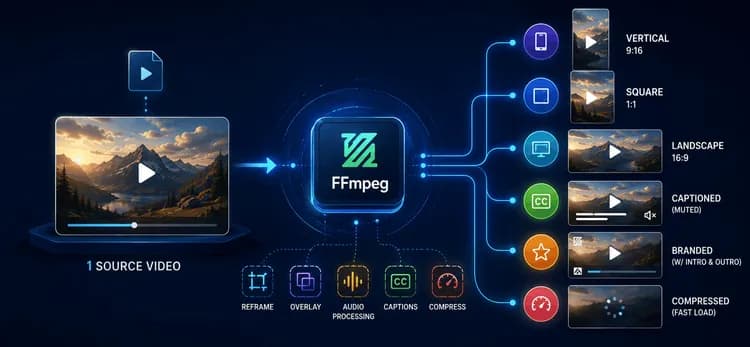
Yksi lataus, kuusi toimitettavaa
Yksi yksittäinen lähdemateriaali on tänä päivänä muunnettava 9:16-pystysuuntaiseksi Reels-videoksi, 1:1-neliöleikkaukseksi, 16:9-vaakaversioksi, mykistetyksi ja tekstitetyksi versioksi automaattista toistoa varten, brändätyksi leikkaukseksi logolla ja intro/outrolla, sekä pakatuksi versioksi, joka latautuu välittömästi heikollakin yhteydellä. Sama sisältö, kuusi tai useampi muoto – kerrottuna jokaisen kampanjan ja jokaisen sisällöntuottajan kohdalla, joka päivä.
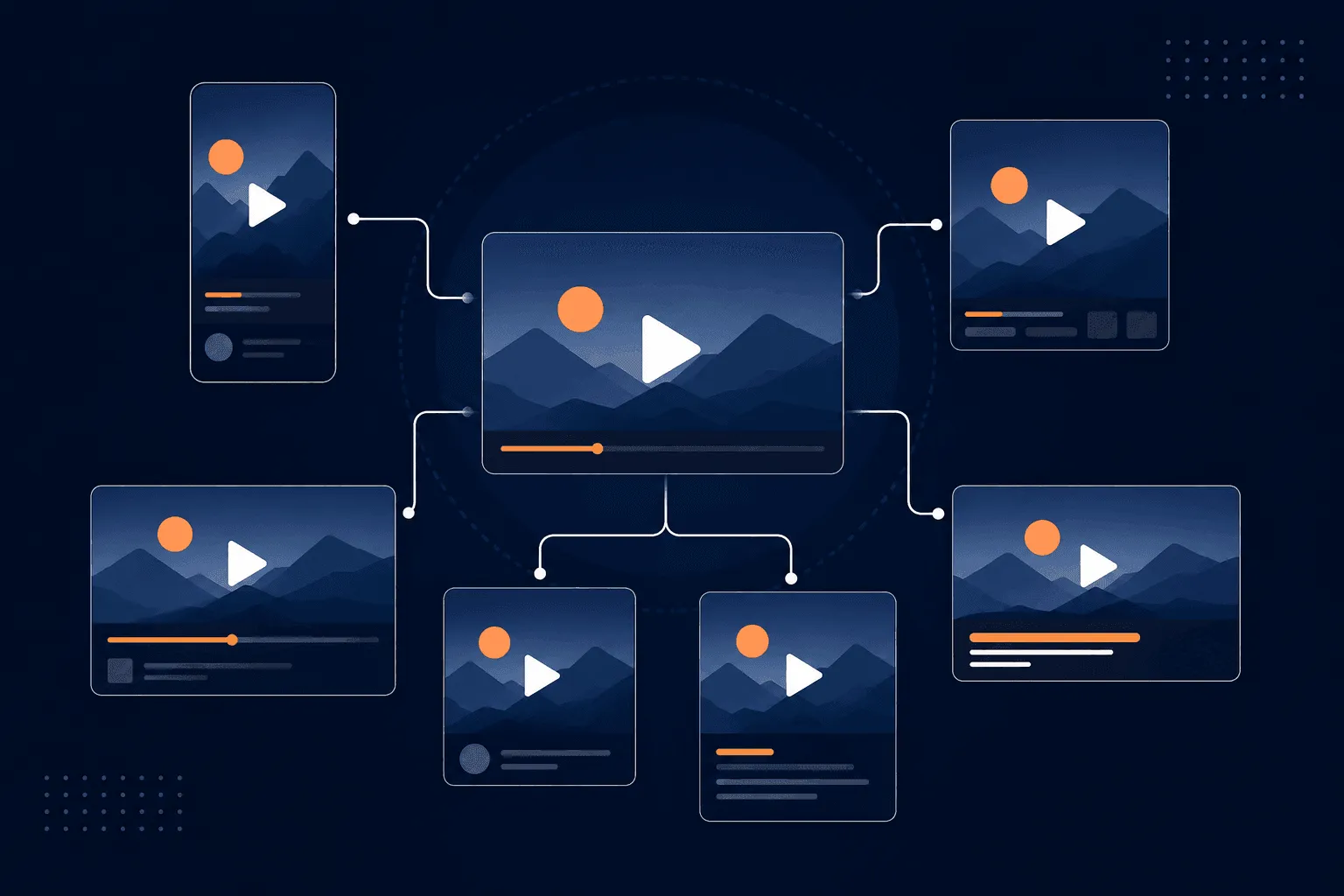
Tämän ratkaiseminen mittakaavassa tarkoittaa, että video on transformoitava ohjelmallisesti, ei käsin editoimalla. Se on FFmpeg:n tehtävä meidän putkilinjassamme.
Miksi juuri FFmpeg
FFmpeg on ilmainen, avoimen lähdekoodin komentorivityökalu äänen ja videon muuntamiseen, suodattamiseen ja koodaukseen. Sillä ei ole käyttöliittymää – kuvailet tarkasti, mitä haluat komennolla, ja se suorittaa sen. Siinä on koko arvolupaus: komento voidaan luoda koodilla, parametroida käyttäjän mukaan, jonottaa putkilinjassa ja suorittaa palvelimella ilman ihmisen osallistumista. Videon editoinnista tulee jotain, jonka ohjelmoit, sen sijaan että klikkaisit sen läpi.
Kolme ominaisuutta tekevät siitä oikean ratkaisun tähän nimenomaiseen ongelmaan, eikä vain "toimiva videotyökalu":
Kokoavat suodattimet. FFmpeg:n filtergraph antaa sinun ketjuttaa skaalauksen → rajauksen → päällekkäisyyden → häivytyksen yhteen käsittelyyn. Tämä on tärkeää, koska se välttää väliaikaisten tiedostojen kirjoittamisen jokaisessa vaiheessa – naiivi putkilinja, joka uudelleenkoodaa jokaisen operaation välissä, moninkertaistaa sekä renderöintiajan että tallennustilan kulumisen. Ketjutus pitää monivaiheisen muunnoksen yhdessä koodauksessa.
Striimitason operaatiot, ei vain uudelleenkoodaukset. Esimerkiksi trimmauksen kaltaisissa toiminnoissa FFmpeg voi kopioida olemassa olevia striimejä niiden dekoodauksen ja uudelleenkoodauksen sijaan:
ffmpeg -i input.mp4 -ss 00:00:08 -t 15 -c copy highlight.mp4
-c copy on ero trimmauksen, joka valmistuu sekunneissa, ja sellaisen, joka kestää koko uudelleenkoodauksen verran. Käytämme sitä aina, kun operaatio ei vaadi pikselidatan käsittelyä – trimmaukset, formaatin remuxing – ja varaamme täyden uudelleenkoodauksen vaiheisiin, jotka sitä todella tarvitsevat, kuten skaalaukseen tai päällekkäisyyksiin.
Laitteistoa hyödyntävä koodaus. FFmpeg voi reitittää GPU-kooderien (NVENC, QSV, VideoToolbox) kautta pelkän CPU-pohjaisen libx264:n sijaan. GPU-koodaus voittaa raa'assa suorituskyvyssä suurilla volyymeillä; libx264 tarjoaa silti ennustettavamman, säädettävämmän laadun tietyllä bittinopeudella. Kumpi valitaan, on todellinen kompromissi, ei vakiintunut oletus – suosimme CPU-koodausta kaikessa brändiin liittyvässä sisällössä, jossa laadunvalvonta on tärkeintä, ja varaamme GPU-reitit suurivolyymisiin, matalamman prioriteetin eriin.
Miten putkilinja sitä todellisuudessa käyttää
Uudelleenkehystys.
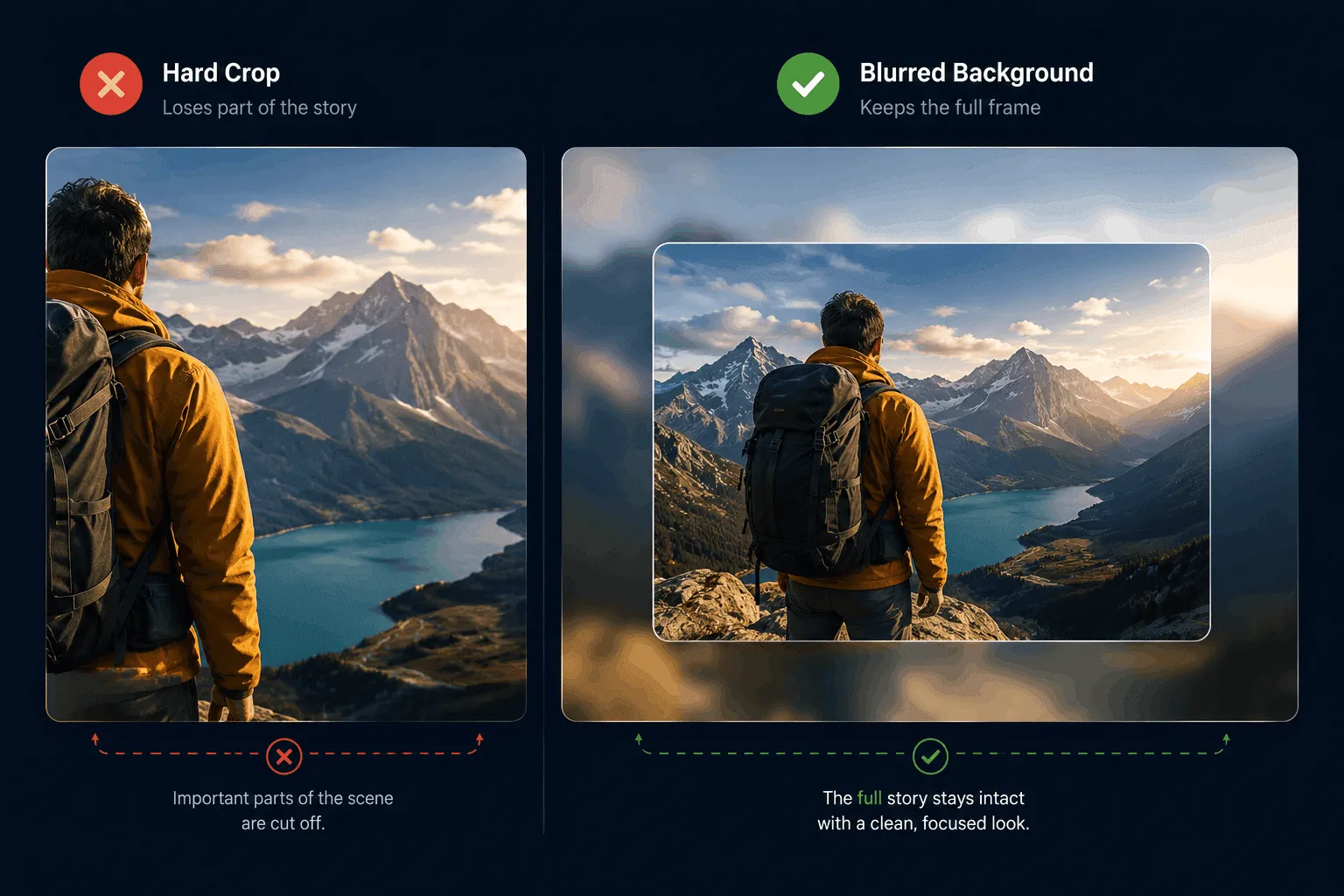
Yleisin pyyntö on "tee tästä sopiva kaikkialle". Vaakasuuntainen lähde muuttuu pystysuuntaiseksi Reels-videoksi skaalauksen ja rajauksen avulla. Suora rajaus on nopeaa, mutta se poistaa osan kuvasta – sopiva keskitetyille kohteille, huono kun kohde liikkuu keskeltä. Näissä tapauksissa turvaudumme sumennettuun, koko ruudun taustaan oikein skaalatun etualan kopion takana, jotta mikään ei leikkaannu pois:
ffmpeg -i input.mp4 -filter_complex \
  "[0:v]scale=1080:1920,boxblur=20:5[bg]; \
   [0:v]scale=1080:-2[fg]; \
   [bg][fg]overlay=(W-w)/2:(H-h)/2" \
  -c:a copy output_blurred.mp4
Tämä on harkittu kahden polun päätös, ei yksittäinen oletussuodatin – rajaa, kun se on turvallista, sumennusvarajärjestelmä, kun se ei ole.
Brändäys, tekstitykset, ääni. Logot, introt ja outrot lisätään parametrisoituina päällekkäisyyksinä ja ketjutuksina, joten sijainti, koko ja peittävyys muuttuvat brändin mukaan ilman, että putkilinjan koodia tarvitsee muuttaa. Tekstitykset poltetaan suoraan ruutuihin sen sijaan, että ne lähetettäisiin erillisenä tekstityskappaleena – automaattisesti mykistetyt syötteet tarkoittavat, että tekstityksen on kestettävä kaikki kohdealustan soveltamat uudelleenkoodaukset, ja poltettu tekstitys kestää aina; tekstityskappale ei aina kestä. Ääni miksataan ja normalisoidaan niin, että yksikään klippi ei ole häiritsevän kovempi kuin edellinen selaussyötteessä.
Toimitus. Jokainen lähtö koodataan +faststart-ominaisuudella, joka siirtää tiedoston metadatan alkuun, jotta toisto voi alkaa ennen koko tiedoston latautumista – pieni merkki, jolla on suuri vaikutus havaittuun latausaikaan erityisesti lyhytmuotoisissa videoissa.
Kompromissi, jonka parissa työskentelemme edelleen
Kaikkia päätöksiä ei ole vielä tehty. GPU- vs. CPU-koodaus on se, mihin palaamme useimmin: GPU:n suorituskyky on houkutteleva volyymin kasvaessa, mutta laatu-bittinopeus-suhteen tasaisuus suosii edelleen CPU-koodausta brändille kriittisessä sisällössä. Tällä hetkellä tämä jako hoidetaan manuaalisesti työtyypin mukaan; automaattisen, laatuun perustuvan reitityspäätöksen tekeminen on seuraava osa tätä putkilinjaa, jota rakennamme.
Miksi tämä on tärkeää
Yhdessä, yksi lataus käynnistää putkilinjan, joka uudelleenkehystää sen pysty-, neliö- ja vaakasuuntaisiksi varianteiksi, brändää sen, polttaa tekstitykset kuvaan, trimmaa vahvimpaan leikkaukseen, miksaa ja normalisoi äänen ja pakkaa sen nopeaa toimitusta varten – ilman että editori avaa aikajanaa. Lisäskaalaus tarkoittaa vain useampien FFmpeg-työntekijöiden ajamista rinnakkain, koska jokainen tehtävä on itsenäinen ja tilaton.
Reels-trendi ei muuttanut vain sitä, miltä sisältö näyttää – se muutti sitä, kuinka monta muotoa yhden sisällön on otettava, aikataulussa, johon manuaalinen editointi ei pysty. FFmpeg pysyy mukana, koska se käsittelee videota ohjelmoitavana ja kokoavana sen sijaan, että se olisi jotain, mikä pitäisi klikkailla käsin läpi. Tämä on todellinen syy, miksi tämä putkilinja skaalautuu: ei siksi, että FFmpeg olisi abstraktisti tehokas, vaan siksi, että jokainen sen päätös – rajaus vs. sumennusvarajärjestelmä, stream-kopio vs. uudelleenkoodaus, GPU vs. CPU – tehdään harkitusti, tapauskohtaisesti, oletuksen sijaan.
Jos rakennat tällaista putkilinjaa ja haluat toiset silmät arkkitehtuuriin, ota yhteyttä.