
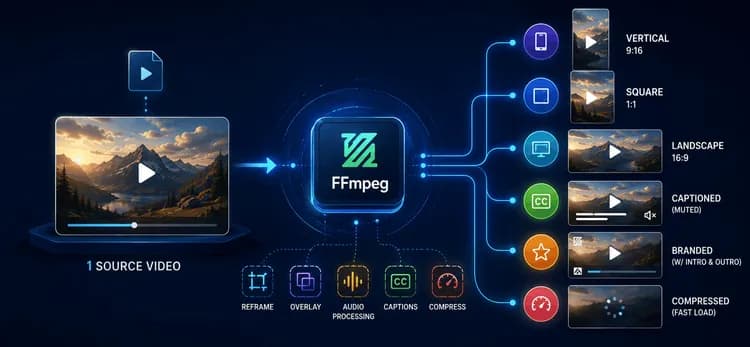
Un Téléchargement, Six Livrables
Aujourd'hui, un seul extrait vidéo source doit devenir un Reel vertical 9:16, une coupe carrée 1:1, une version paysage 16:9, une variante muette et sous-titrée pour la lecture automatique, une version de marque avec un logo et une intro/outro, et une version compressée qui se charge instantanément sur une connexion faible. Même contenu, six formes ou plus — multipliées pour chaque campagne et chaque créateur, chaque jour.
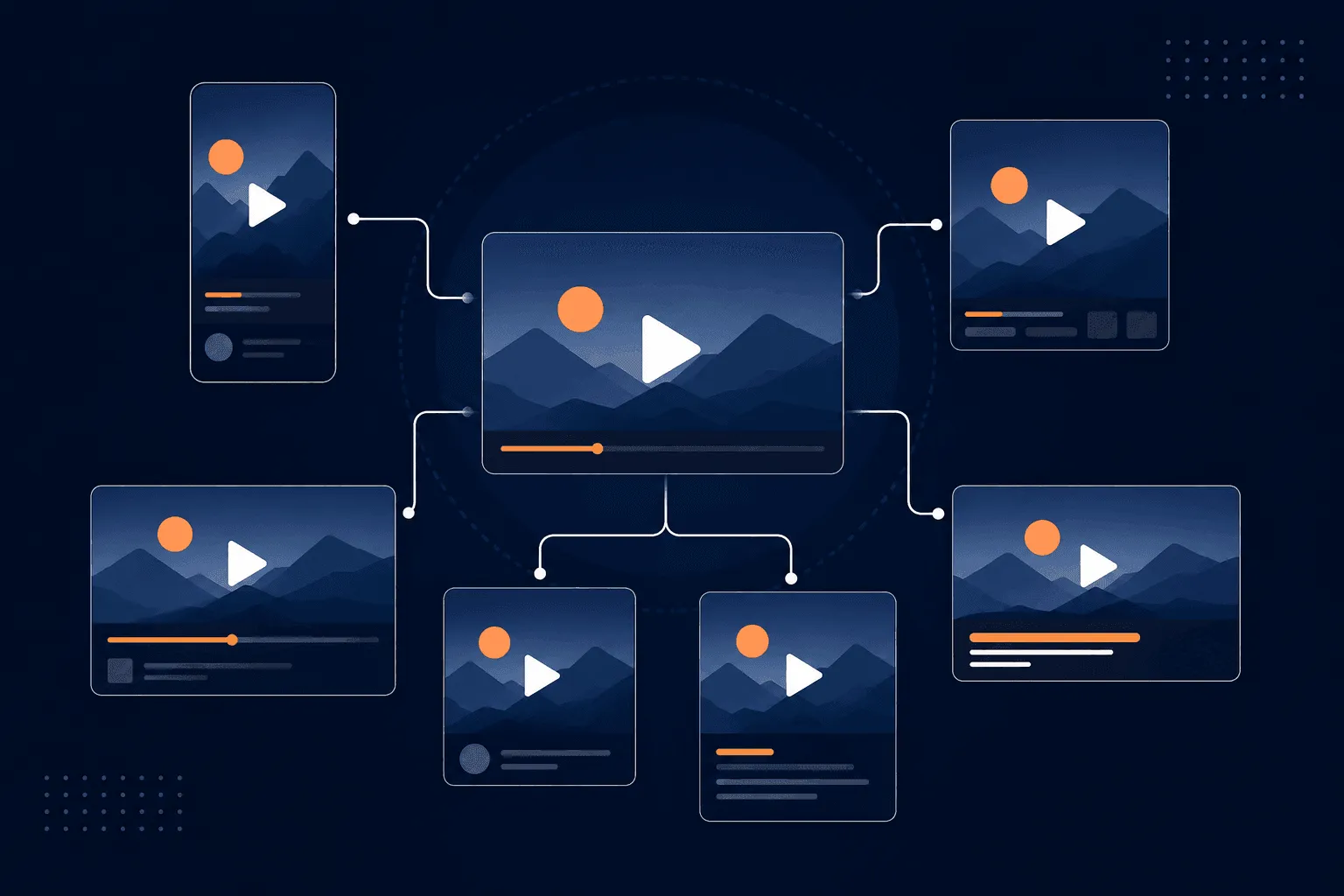
Résoudre cela à l'échelle signifie que la vidéo doit être transformée de manière programmatique, et non éditée manuellement. C'est le rôle que joue FFmpeg dans notre pipeline.
Pourquoi FFmpeg, Spécifiquement
FFmpeg est un outil en ligne de commande gratuit et open-source pour convertir, filtrer et encoder l'audio et la vidéo. Il n'a pas d'interface utilisateur — vous décrivez exactement ce que vous voulez sous forme de commande, et il l'exécute. C'est toute la proposition de valeur : une commande peut être générée par du code, paramétrée par utilisateur, mise en file d'attente dans un pipeline, et exécutée sur un serveur sans aucune intervention humaine. Le montage vidéo devient quelque chose que vous programmez au lieu de quelque chose que vous parcourez en cliquant.
Trois propriétés en font l'outil idéal pour ce problème spécifique, plutôt qu'un simple "outil vidéo qui fonctionne" :
Filtres composables. Le filtergraph de FFmpeg vous permet d'enchaîner l'échelle → le recadrage → la superposition → le fondu en un seul passage. Cela est important car cela évite d'écrire des fichiers intermédiaires à chaque étape — un pipeline naïf qui ré-encode entre chaque opération multiplie à la fois le temps de rendu et l'agitation du stockage. Le chaînage permet de maintenir une transformation multi-étapes en un seul encodage.
Opérations au niveau du flux, pas seulement des ré-encodages. Pour des opérations comme le rognage, FFmpeg peut copier les flux existants au lieu de les décoder et de les ré-encoder :
ffmpeg -i input.mp4 -ss 00:00:08 -t 15 -c copy highlight.mp4
-c copy est la différence entre un rognage qui se termine en quelques secondes et un autre qui prend autant de temps qu'un ré-encodage complet. Nous l'utilisons partout où l'opération ne nécessite pas de toucher les données de pixels — rognages, remuxage de format — et réservons le ré-encodage complet aux étapes qui en ont réellement besoin, comme la mise à l'échelle ou la superposition.
Encodage conscient du matériel. FFmpeg peut acheminer via les encodeurs GPU (NVENC, QSV, VideoToolbox) au lieu de libx264 (CPU uniquement). L'encodage GPU l'emporte sur le débit brut à volume élevé ; libx264 offre toujours une qualité plus prévisible et ajustable pour un débit donné. Le choix de l'un ou l'autre est un vrai compromis, et non un défaut établi — nous privilégions l'encodage CPU pour tout ce qui est destiné à la marque, où le contrôle qualité est le plus important, et réservons les chemins GPU aux lots à volume élevé et à faible priorité.
Comment le Pipeline l'Utilise Réellement
Recadrage intelligent.
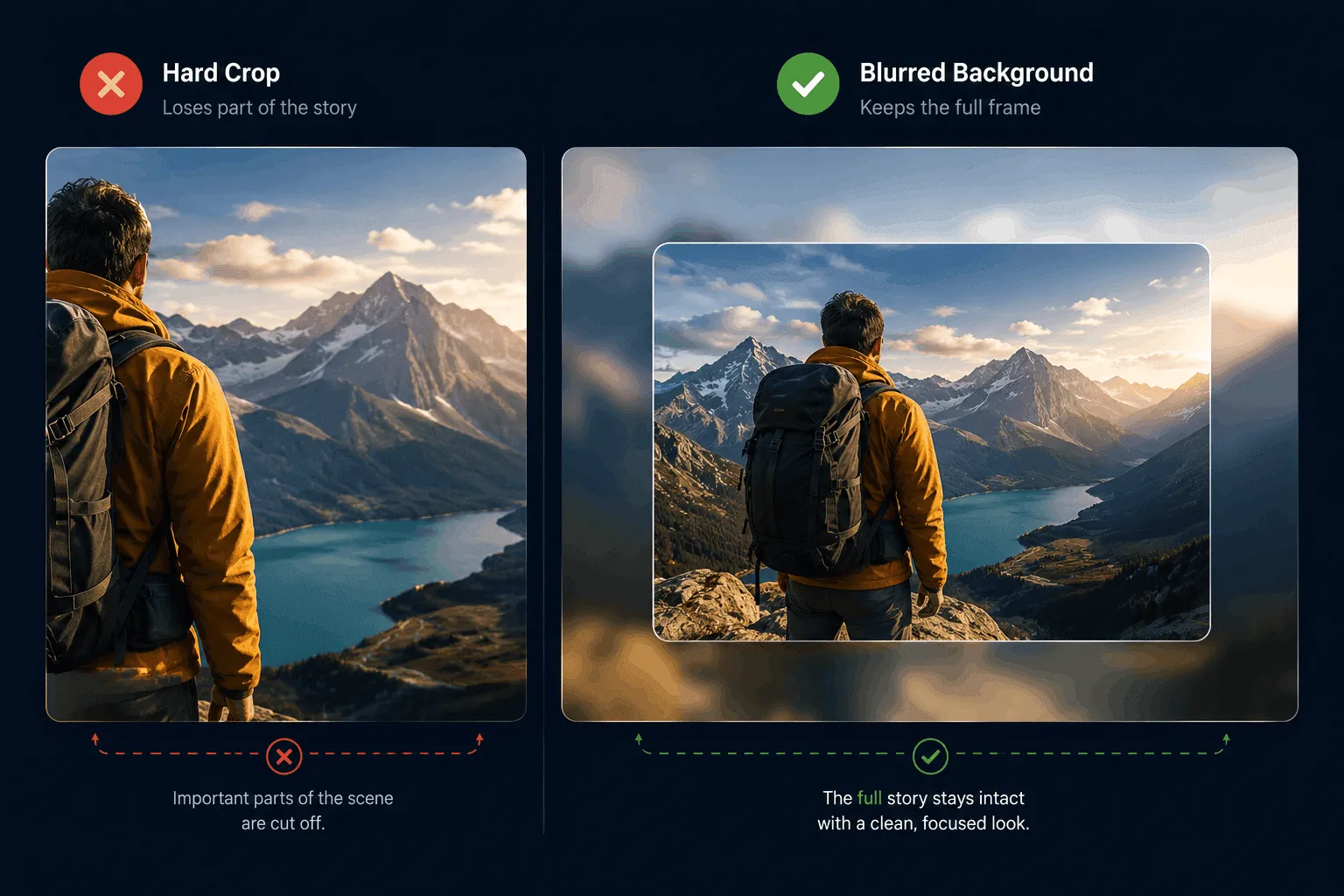
La demande la plus courante est "faire en sorte que cela s'adapte partout." Une source horizontale devient un Reel vertical via la mise à l'échelle et le recadrage. Le recadrage simple est rapide mais rejette une partie du cadre — bien pour les sujets centrés, mauvais lorsque le sujet se déplace hors du centre. Pour ces cas, nous recourons à un arrière-plan flou, en plein écran, derrière une copie de premier plan correctement mise à l'échelle, afin que rien ne soit coupé :
ffmpeg -i input.mp4 -filter_complex \
  "[0:v]scale=1080:1920,boxblur=20:5[bg]; \
   [0:v]scale=1080:-2[fg]; \
   [bg][fg]overlay=(W-w)/2:(H-h)/2" \
  -c:a copy output_blurred.mp4
C'est une décision délibérée à deux chemins, et non un filtre par défaut unique — recadrage quand c'est sûr, recours au flou quand ce ne l'est pas.
Marque, sous-titres, audio. Les logos, intros et outros sont appliqués comme des superpositions et des concaténations paramétrées, de sorte que la position, la taille et l'opacité changent par marque sans toucher au code du pipeline. Les sous-titres sont incrustés directement dans les images plutôt que d'être livrés comme une piste de sous-titres séparée — les flux en lecture automatique et muets signifient que le sous-titre doit survivre à tout ré-encodage appliqué par la plateforme de destination, et un sous-titre incrusté le fait toujours ; une piste de sous-titres parfois non. L'audio est mixé et normalisé en volume sonore afin qu'aucun clip ne soit nettement plus fort que le précédent dans un fil de défilement.
Livraison. Chaque sortie est encodée avec +faststart, ce qui déplace les métadonnées du fichier au début afin que la lecture puisse commencer avant que le fichier entier ne soit téléchargé — un petit drapeau avec un effet disproportionné sur le temps de chargement perçu spécifiquement pour la vidéo courte.
Le Compromis sur Lequel Nous Travaillons Encore
Toutes les décisions ici ne sont pas définitives. L'encodage GPU vs. CPU est celui que nous réexaminons le plus souvent : le débit GPU est attractif à mesure que le volume augmente, mais la cohérence qualité-par-débit favorise toujours l'encodage CPU pour les sorties critiques pour la marque. Actuellement, cette répartition est gérée manuellement par type de tâche ; en faire une décision de routage automatique et consciente de la qualité est la prochaine étape de ce pipeline que nous sommes en train de développer.
Pourquoi C'est Important
Mis ensemble, un seul téléchargement déclenche un pipeline qui le recadre en variantes verticale, carrée et paysage, le marque, incruste des sous-titres, le rogne à la coupe la plus efficace, mixe et normalise l'audio, et le compresse pour une livraison rapide — sans qu'aucun éditeur n'ouvre une timeline. Une mise à l'échelle supplémentaire signifie simplement exécuter davantage de workers FFmpeg en parallèle, puisque chaque tâche est indépendante et sans état.
La tendance des Reels n'a pas seulement changé l'apparence du contenu — elle a changé le nombre de formes qu'un seul contenu doit prendre, sur une chronologie que le montage manuel ne peut pas égaler. FFmpeg suit le rythme car il traite la vidéo comme programmable et composable plutôt que comme quelque chose qui doit être cliqué manuellement. C'est la véritable raison pour laquelle ce pipeline évolue : non pas que FFmpeg soit puissant dans l'absolu, mais que chaque décision qu'il contient — recadrage vs. recours au flou, copie de flux vs. ré-encodage, GPU vs. CPU — est prise délibérément, au cas par cas, au lieu d'être par défaut.
Si vous construisez un pipeline comme celui-ci et souhaitez un deuxième avis sur l'architecture, contactez-nous.