MicrocosmWorks디지털 코스모스 혁신 및 설계
소개연락처
MicrocosmWorks디지털 코스모스를 혁신하고 설계합니다

중요한 IT 솔루션을 제공합니다. 기술, 보안에 열정적이며 신뢰할 수 있는 혁신적인 IT 인프라를 통해 비즈니스 성장을 돕습니다.

[email protected]
+91 7011868196
New Delhi, India

AI 성장 허브

AI 허브스타트업 혁신기업 가속기

솔루션

모든 솔루션웰니스 및 피트니스 앱AI 비디오 플랫폼AI 에이전트 개발

자원

통찰력산업 가이드사용 사례 청사진아키텍처 패턴사례 연구

회사

회사 소개연락처우리의 작업

서비스

디지털 컨설팅클라우드 인프라SaaS 개발AI 개발비디오 기술
ERP 개발Zoho 맞춤화Odoo 개발Salesforce 통합맞춤형 CRM 개발
QuickBooks 통합IoT 솔루션블록체인 개발
사이버 보안 컨설팅IT 지원 - L3

© 2026 MicrocosmWorks. 모든 권리 보유.

개인정보 처리방침서비스 약관
통찰로 돌아가기
AI Development

How FFmpeg Gives Flexibility in the Video Domain for Today's Reels Trend

Why FFmpeg remains the flexible backbone for producing reels and short-form video formats.

Rahul Mainwal.webpRahul Mainwal
•
July 27, 2026
•
수정일 August 6, 2026
•
5 min read
ChatGPT Image Aug 6, 2026, 01_22_10 PM (1).webp
5 min read

One Upload, Six Deliverables

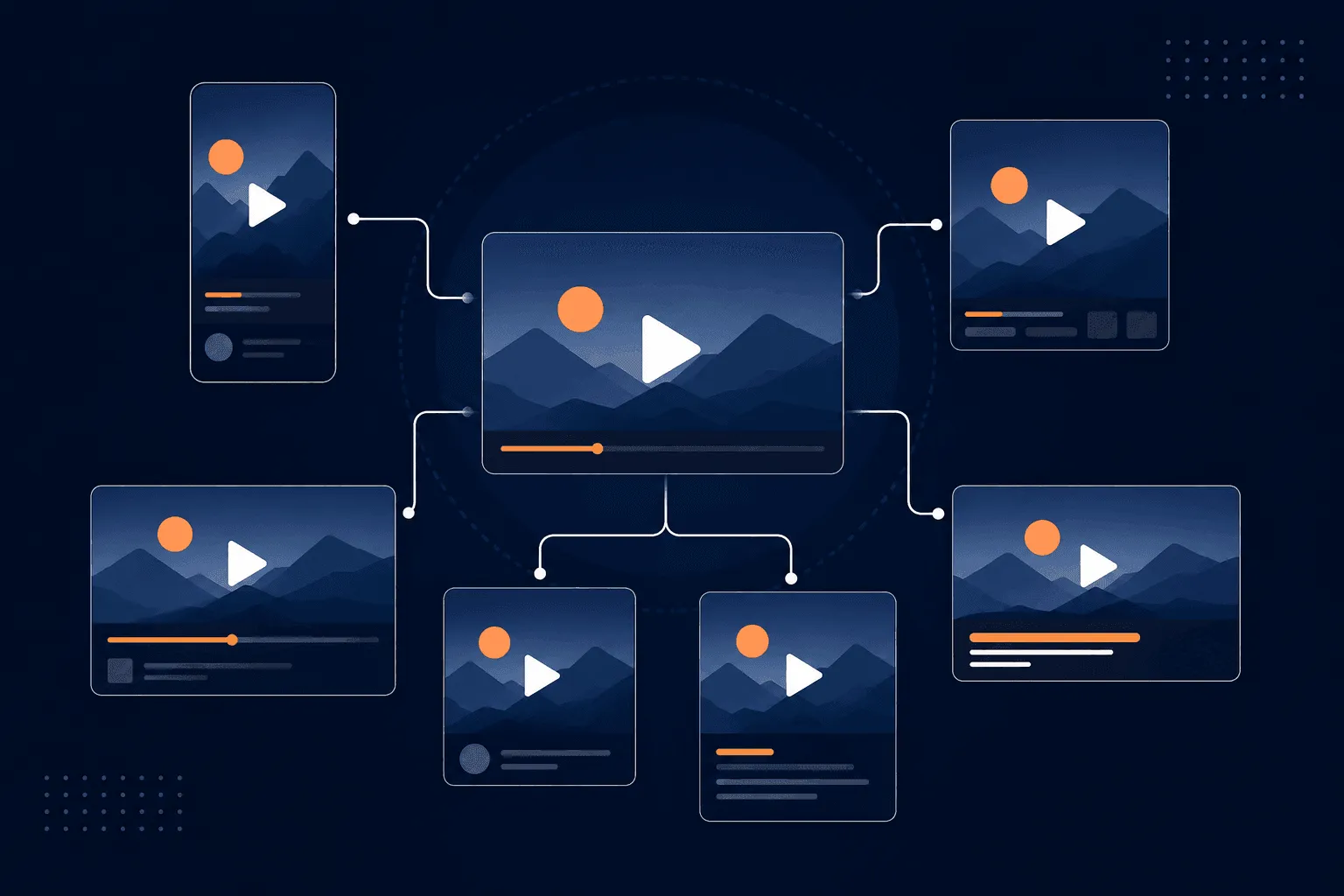
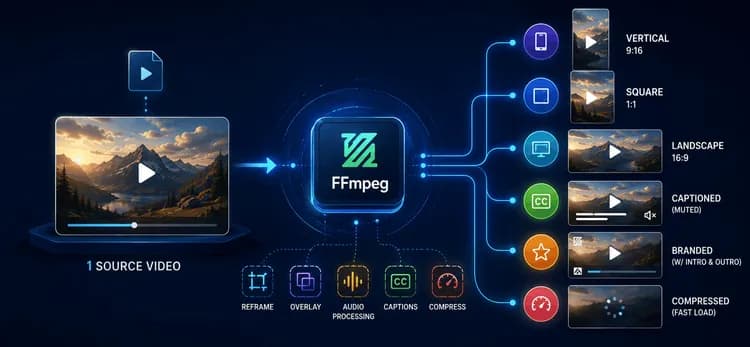
A single piece of source footage today has to become a 9:16 vertical reel, a 1:1 square cut, a 16:9 landscape version, a muted and captioned variant for autoplay, a branded cut with a logo and intro/outro, and a compressed version that loads instantly on a weak connection. Same content, six or more shapes — multiplied across every campaign and every creator, every day.

ChatGPT Image Aug 6, 2026, 01_22_30 PM (1).webp

Solving that at scale means video has to be transformed programmatically, not edited by hand. That's the job FFmpeg does in our pipeline.

Why FFmpeg, Specifically

FFmpeg is a free, open-source command-line tool for converting, filtering, and encoding audio and video. It has no UI — you describe exactly what you want as a command, and it executes it. That's the entire value proposition: a command can be generated by code, parameterized per user, queued in a pipeline, and run on a server with zero human involvement. Video editing becomes something you program instead of something you click through.

Three properties make it the right fit for this specific problem, rather than just "a video tool that works":

Composable filters. FFmpeg's filtergraph lets you chain scale → crop → overlay → fade into a single pass. That matters because it avoids writing intermediate files at each step — a naive pipeline that re-encodes between every operation multiplies both render time and storage churn. Chaining keeps a multi-step transformation to one encode.

Stream-level operations, not just re-encodes. For operations like trimming, FFmpeg can copy existing streams instead of decoding and re-encoding them:

ffmpeg -i input.mp4 -ss 00:00:08 -t 15 -c copy highlight.mp4

-c copy is the difference between a trim that finishes in seconds and one that takes as long as a full re-encode. We use it wherever the operation doesn't require touching pixel data — trims, format remuxing — and reserve full re-encoding for steps that actually need it, like scaling or overlaying.

Hardware-aware encoding. FFmpeg can route through GPU encoders (NVENC, QSV, VideoToolbox) instead of CPU-only libx264. GPU encoding wins on raw throughput at high volume; libx264 still gives more predictable, tunable quality at a given bitrate. Which one to use is a real trade-off, not a settled default — we lean CPU encoding for anything brand-facing where quality control matters most, and reserve GPU paths for high-volume, lower-priority batches.

How the Pipeline Actually Uses It

Reframing. 

ChatGPT Image Aug 6, 2026, 01_22_24 PM (1).webp

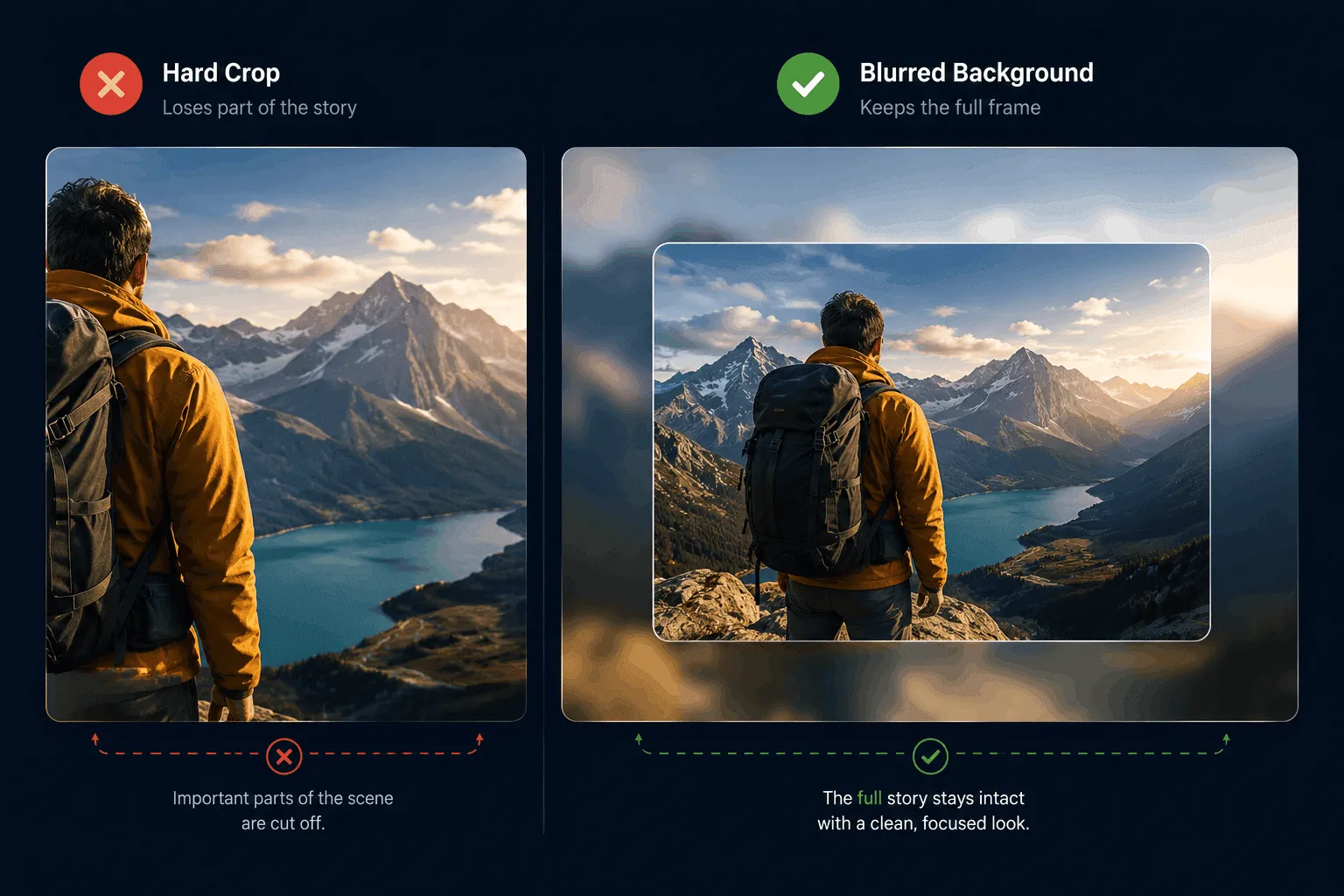
The most common request is "make this fit everywhere." A horizontal source becomes a vertical reel via scale-and-crop. Straight cropping is fast but throws away part of the frame — fine for centered subjects, bad when the subject moves off-center. For those cases, we fall back to a blurred, full-frame background behind a correctly-scaled foreground copy, so nothing gets cut off:

ffmpeg -i input.mp4 -filter_complex \
  "[0:v]scale=1080:1920,boxblur=20:5[bg]; \
   [0:v]scale=1080:-2[fg]; \
   [bg][fg]overlay=(W-w)/2:(H-h)/2" \
  -c:a copy output_blurred.mp4

That's a deliberate two-path decision, not a single default filter — crop when it's safe, blur-fallback when it isn't.

Branding, captions, audio. Logos, intros, and outros are applied as parameterized overlays and concatenations, so position, size, and opacity change per brand without touching the pipeline code. Captions are burned directly into frames rather than shipped as a separate subtitle track — autoplay-muted feeds mean the caption has to survive whatever re-encoding the destination platform applies, and a burned-in caption always does; a subtitle track sometimes doesn't. Audio is mixed and loudness-normalized so no clip is jarringly louder than the one before it in a scroll feed.

Delivery. Every output gets encoded with +faststart, which moves file metadata to the front so playback can begin before the whole file downloads — a small flag with an outsized effect on perceived load time for short-form video specifically.

The Trade-Off We're Still Working Through

Not every decision here is settled. GPU vs. CPU encoding is the one we revisit most: GPU throughput is attractive as volume grows, but quality-per-bitrate consistency still favors CPU encoding for brand-critical output. Right now that split is handled manually per job type; making it an automatic, quality-aware routing decision is the next piece of this pipeline we're building out.

Why This Matters

Put together, one upload triggers a pipeline that reframes it into vertical, square, and landscape variants, brands it, burns in captions, trims to the strongest cut, mixes and normalizes audio, and compresses for fast delivery — with no editor opening a timeline. Scaling further just means running more FFmpeg workers in parallel, since each job is independent and stateless.

The reels trend didn't just change what content looks like — it changed how many shapes a single piece of content has to take, on a timeline that manual editing can't match. FFmpeg keeps up because it treats video as programmable and composable rather than as something that has to be clicked through by hand. That's the actual reason this pipeline scales: not that FFmpeg is powerful in the abstract, but that every decision in it — crop vs. blur-fallback, stream-copy vs. re-encode, GPU vs. CPU — is made deliberately, per case, instead of defaulted.

If you're building a pipeline like this and want a second set of eyes on the architecture, get in touch.

FFmpegReelsVideo EditingEncoding
Rahul Mainwal.webp

저자 소개

Rahul Mainwal

AI & Cloud Solutions Expert at MicrocosmWorks

Building innovative AI-powered solutions and helping businesses transform through cutting-edge technology.

더 자세히 알고 싶으신가요?

비즈니스를 위한 이러한 솔루션 구현 방법에 대해 문의하세요.

연락하기

Comments (0)

Share your thoughts and join the conversation

Leave a Comment

Your email will not be published

No comments yet

Be the first to share your thoughts!